 Mouse Macro Stocazz Superpower
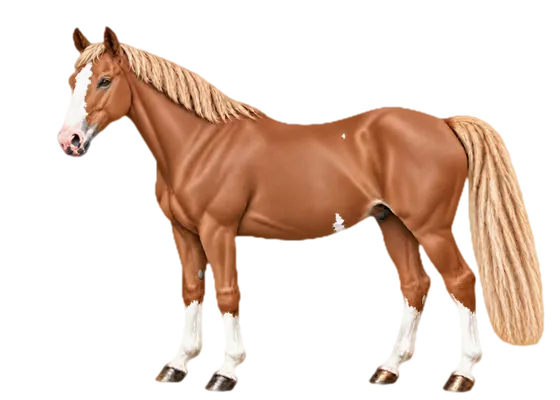
Captures the whole mouse
Moves, clicks, double clicks, drags and wheel: on the desktop, in apps and on browser bars.
Mouse Macro Stocazz Superpower is a mouse macro recorder for Windows and Linux: a small always-on-top panel. Press F9, do your clicks, press F9 again, then F10 to replay them 1 to 999 times, or forever. Python is bundled, nothing to configure.
Arrange your windows, press F9 and do the sequence: moves, clicks, double clicks, drags and wheel, in any app.
1 to 999 repeats or infinite, at Normal or Fast 2× speed. Options for slow pages, Ctrl+Tab between loops and human-like movement.
F10 starts and stops. The panel shrinks to a translucent bar with counters and Stop. Ctrl+Alt+F11 is the emergency stop.
Moves, clicks, double clicks, drags and wheel: on the desktop, in apps and on browser bars.
Normal or Fast 2×, with presses and double clicks always protected. Stop with F10 or Ctrl+Alt+F11.
Optional: each loop follows a slightly different curve with varied pauses, while clicks always land on the same spots.
Repeat the same thing across dozens of browser tabs: it moves to the next one between loops, never after the last.
Save as .mmr, or as a .cmd (Windows) or .sh (Linux) you open with a double click.
A green or yellow dot tells you when a new version is out. It downloads and installs only when you ask, checking the SHA-256.
Big buttons, repeats always in view, options that fold away. While recording or replaying, only a bar with counters and Stop remains.
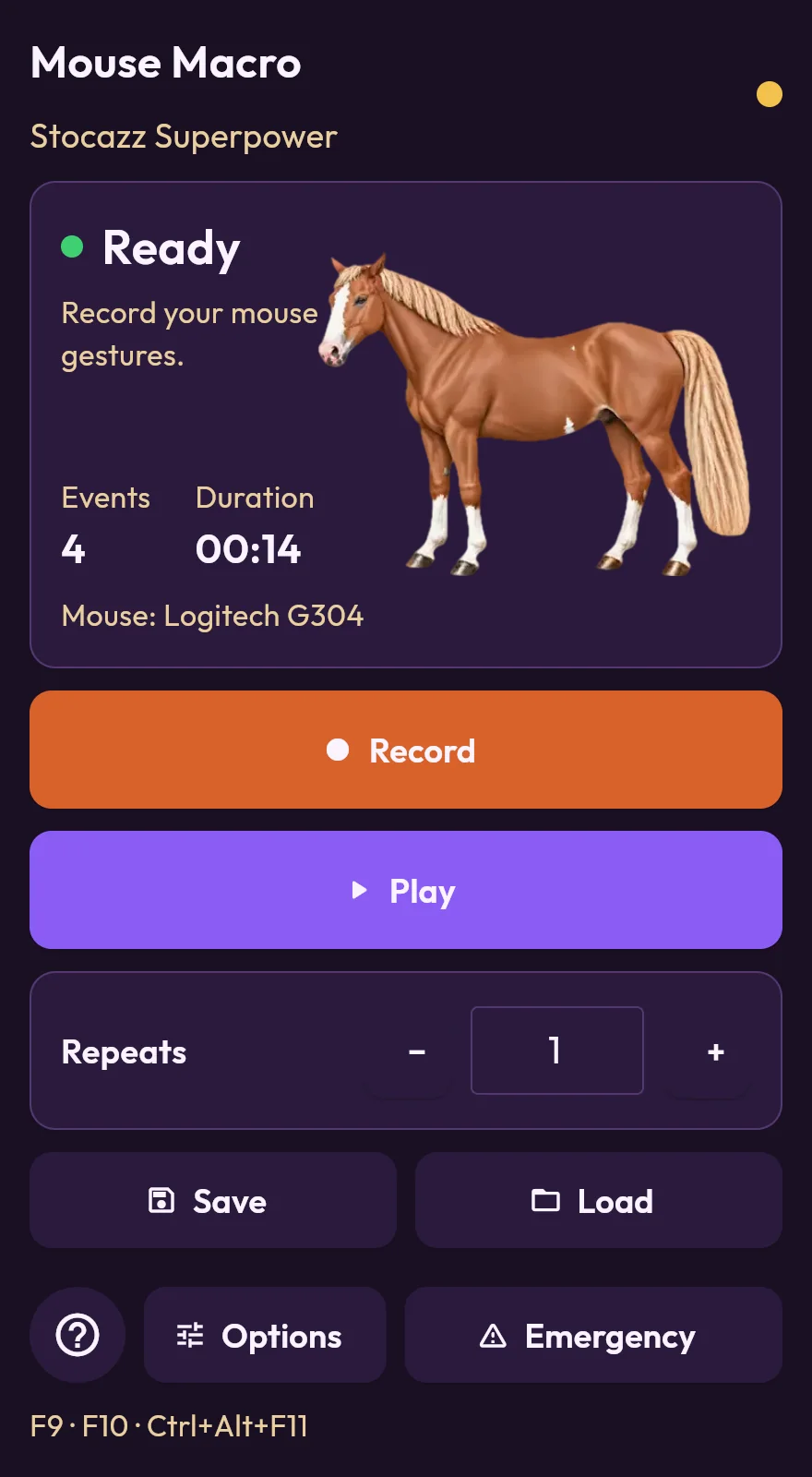
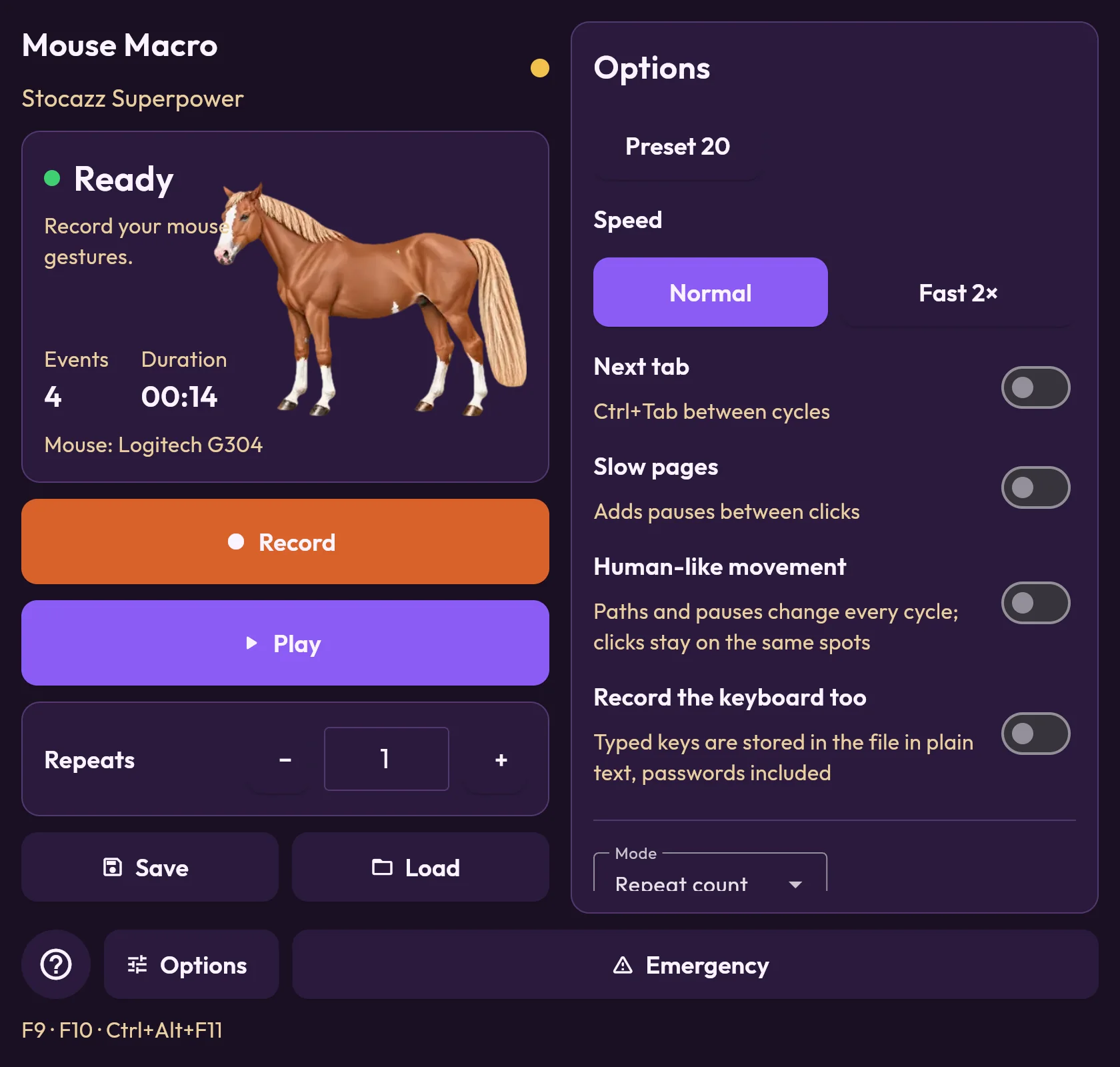
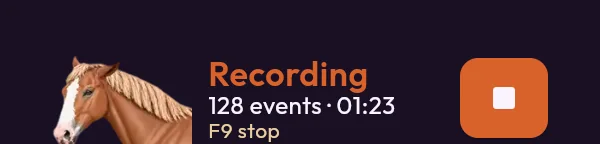
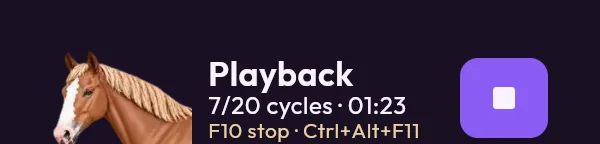
Real pictures of the Linux panel with the Bambola skin.
The horse in the panel changes with the state: resting, listening while you record, happy while it replays. Pick a skin in Settings and it is remembered.
Chestnut with a flaxen mane, animated at 24 frames per second and light on the CPU.
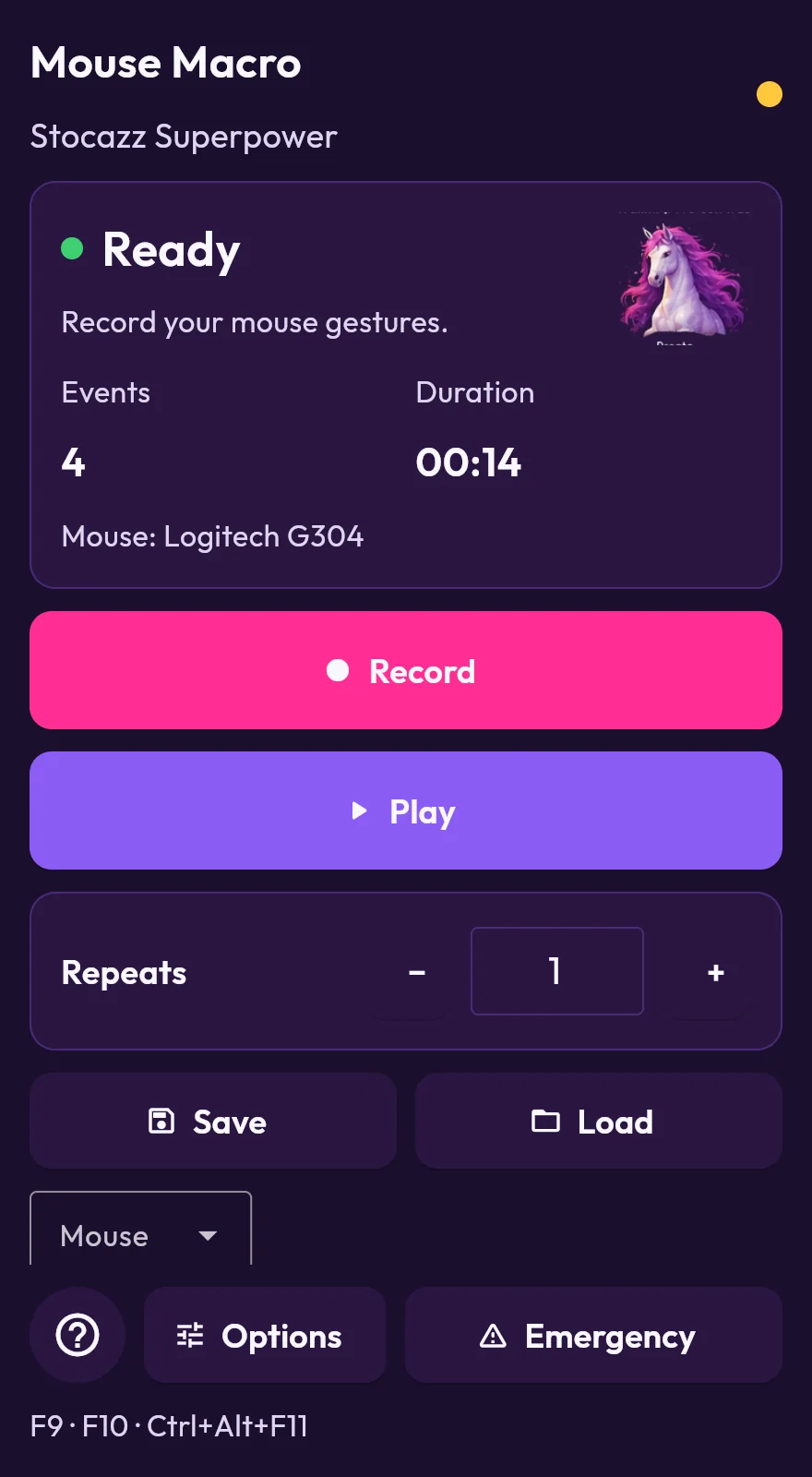
Deep violet, the project's original look.
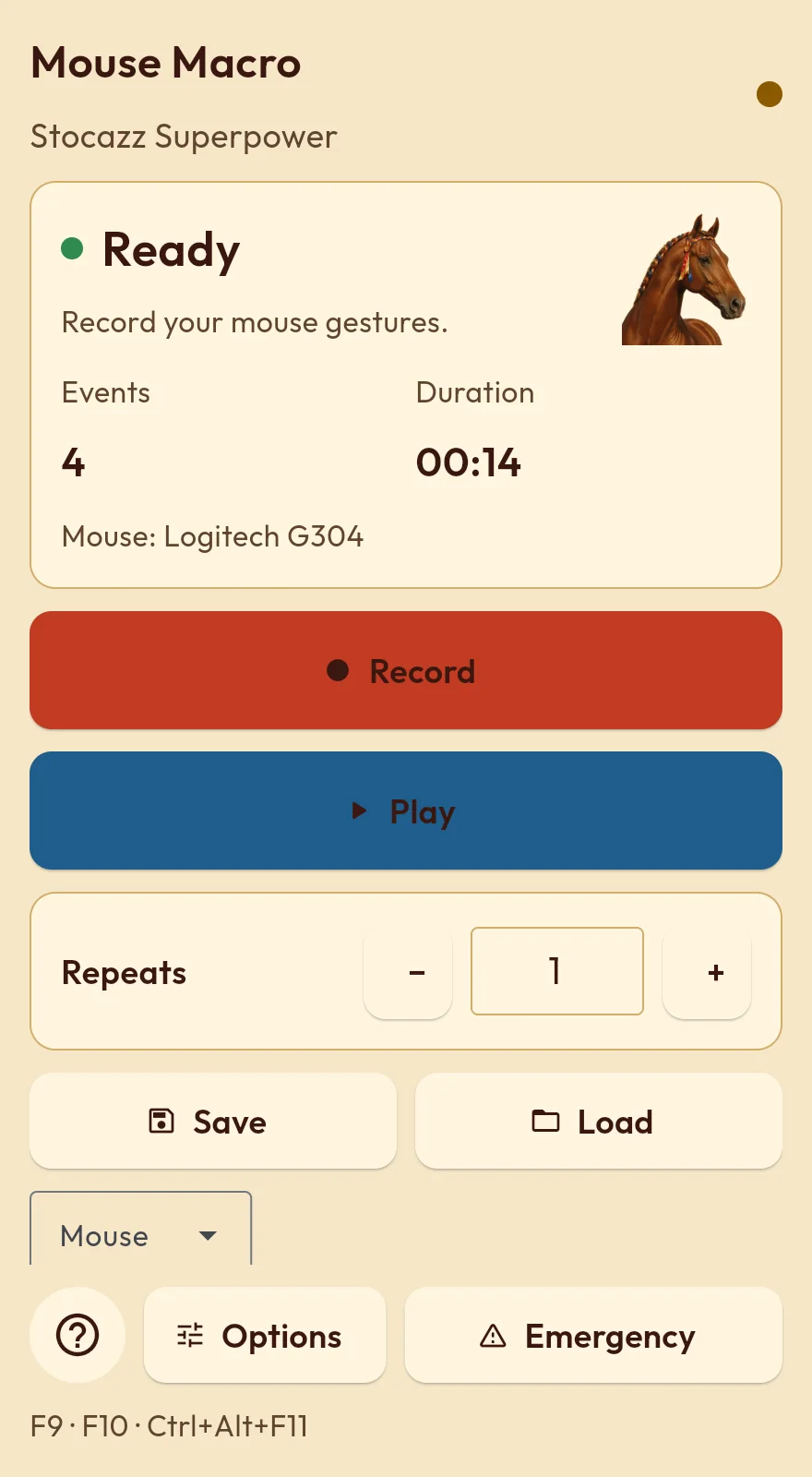
Light, with the chestnut wearing contrada ribbons.
Every package comes from the official GitHub releases and is verified with SHA-256. No system protection is turned off.
irm https://raw.githubusercontent.com/realfulvio/mouse-macro-stocazz-superpower/main/install.ps1 | iexDownloads the release, verifies its SHA-256 and starts the app with the official pythonw.exe signed by the Python Software Foundation. No exe.
Mouse Macro v1.2.7.exe and answer Yes to install it with Start menu and desktop shortcuts.(senza exe).cmd file in the same ZIP.curl -fsSL https://raw.githubusercontent.com/realfulvio/mouse-macro-stocazz-superpower/main/install.sh | bashWindows uses absolute coordinates. Keep window positions, resolution and display scaling the same between recording and replay.
Linux records relative moves (on Wayland no app can read the cursor position): bring the pointer back to the start before each replay.
Privacy. No screenshots. The only network access is the update check, anonymous and switchable off.
Keyboard only if you turn it on. It is off at every start; when on, keys are saved in plain text, passwords included.
It is a mouse macro recorder for Windows and Linux. It records moves, clicks, double clicks, drags and wheel and replays them as many times as you like, from a small always-on-top panel.
Yes, it is free for personal use. The license is PolyForm Noncommercial 1.0.0: commercial use is not included.
Windows 10 and 11 (64-bit) and Linux x86_64, on X11 or Wayland. Python is bundled: there is nothing else to install.
Press F9, do your clicks and press F9 again to stop recording. Then pick how many times to repeat and press F10 to start the replay.
1 to 999 times or forever, at Normal or Fast 2× speed.
Press F10, or Ctrl+Alt+F11 for the emergency stop.
Yes: save it as .mmr, or as a .cmd (Windows) or .sh (Linux) file you open with a double click.
Only if you turn it on: it is off at every start. When on, keys are saved in plain text, passwords included.
It takes no screenshots. The only network access is the update check, anonymous and switchable off.
On Linux it records relative moves, because on Wayland no app can read the cursor position: bring the pointer back to the start before each replay. On Windows it uses absolute coordinates instead: keep window positions, resolution and display scaling the same.